What's New in Price Parrot
New features. Faster workflows. Smarter pricing. Every update below is built from real merchant feedback, because the best pricing tool is one that actually solves your problems. Try PriceParrot free and see what's new.
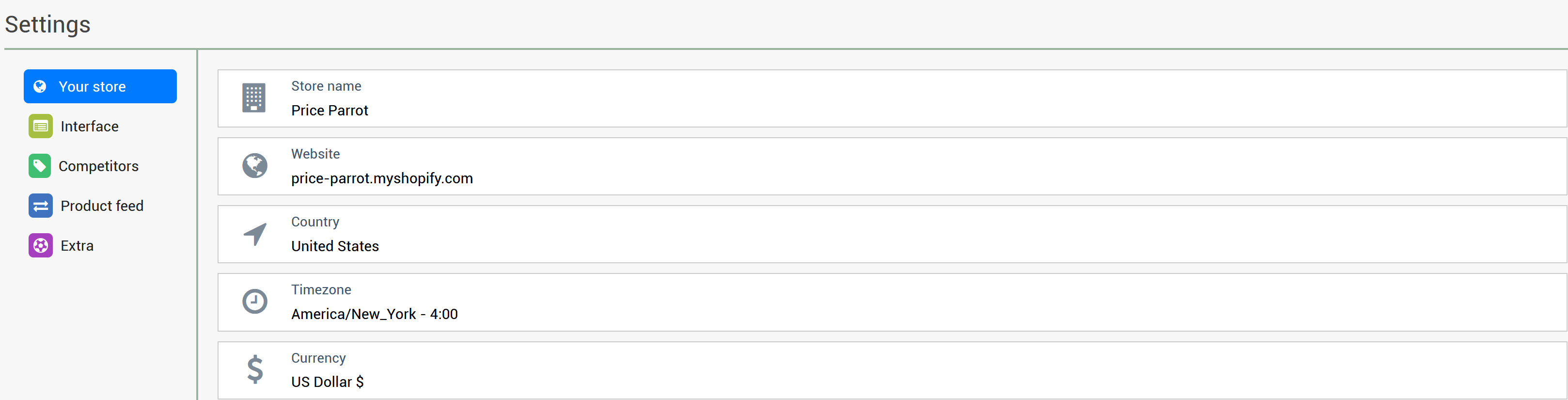
As Price Parrot evolves, so do your options. With more features and custom settings available than ever before, we needed a smarter way to help you stay in control. That’s why we’ve redesigned the Settings Menu from the ground up.
The new layout is cleaner, faster, and easier to navigate, so you can quickly access and manage everything from pricing preferences to alert behavior. Head over to your new Settings page and take a look!
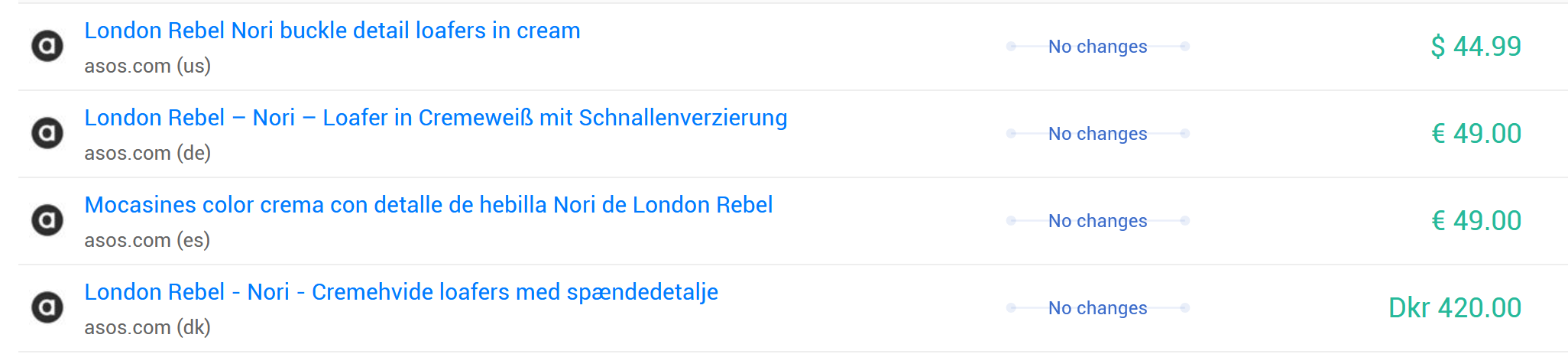
We’ve just made it easier to understand where your competitors are selling, with Region Detection!
Our latest feature automatically extracts region and language data from competitor URLs. Whether your competitors operate in Germany, France, or multiple countries, the system now picks up these details for use in filters, reports, and more.
You’ll now enable regions in your settings, making it simple to:
- Filter by region-specific competitors
- Spot duplicate listings across different languages
- Build region-aware repricing strategies
But that’s not all, this regional insight opens the door to smarter reporting and deeper segmentation. Want to filter only UK results? Or exclude listings from non-EU sites? Now you can.
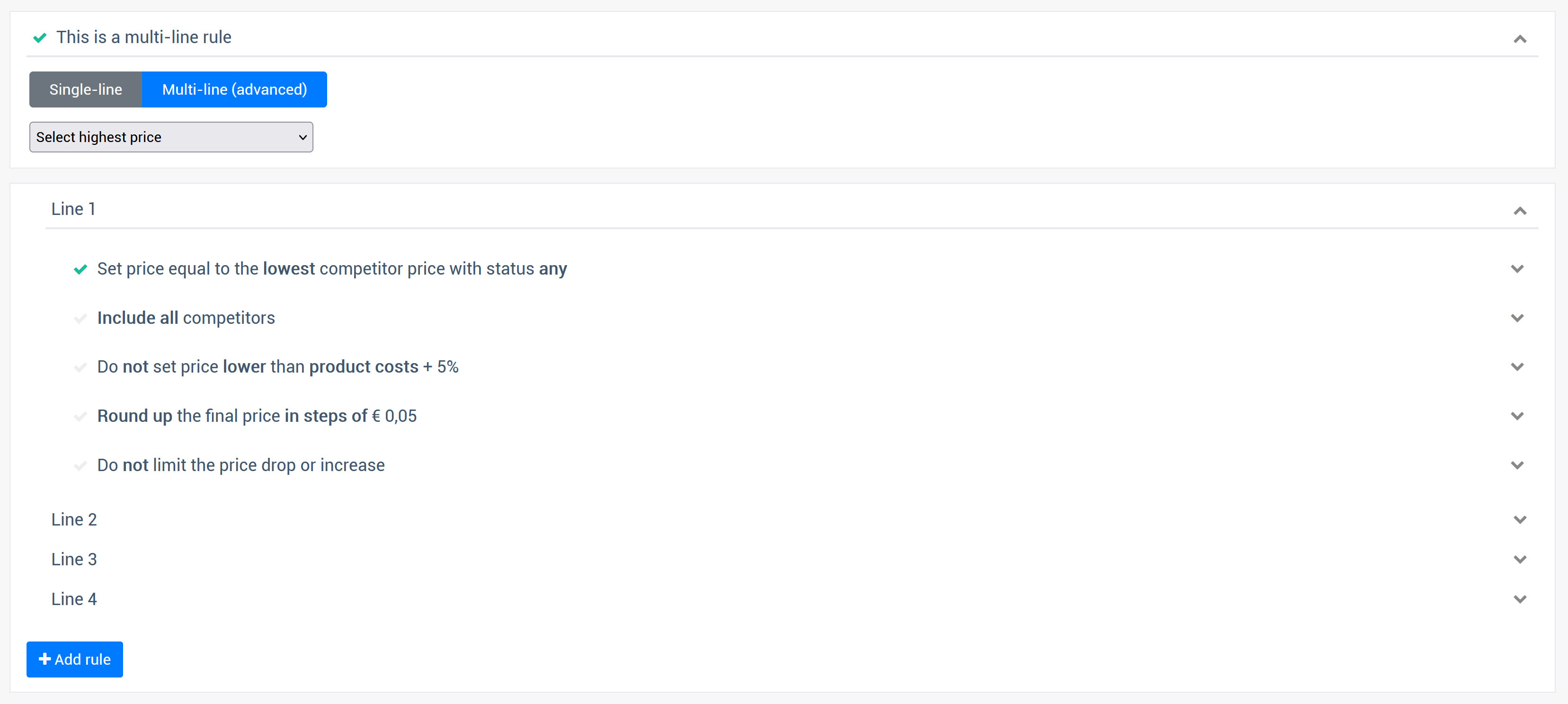
We’re excited to announce a new way to stay competitive and strategic in your market with the ability to set "Lowest Competitor Price" and "Highest Competitor Price" as repricing limits! This update lets you create advanced pricing rules that adjust automatically to real-time market conditions, giving you better control over your prices without losing track of your market’s boundaries.

You want to stay 10% cheaper than the market leader, but also ensure your price is at least $1 lower to make your offer compelling. Before this update, there was no way to combine these conditions in a single rule. You had to choose one or the other, limiting your ability to create smart pricing strategies.
You can now add multiple lines to a repricing rule. Each line allows you to configure all repricing settings independently, such as the included competitors, price offset, rounding, and minimum price thresholds. Once all lines are added, you can choose how the system calculates the final price from these rules:
- Lowest: The lowest calculated price is selected.
- Average: The average of all calculated prices is selected.
- Highest: The highest calculated price is selected.
- Closest to Your Price: The price closest to your original is used.
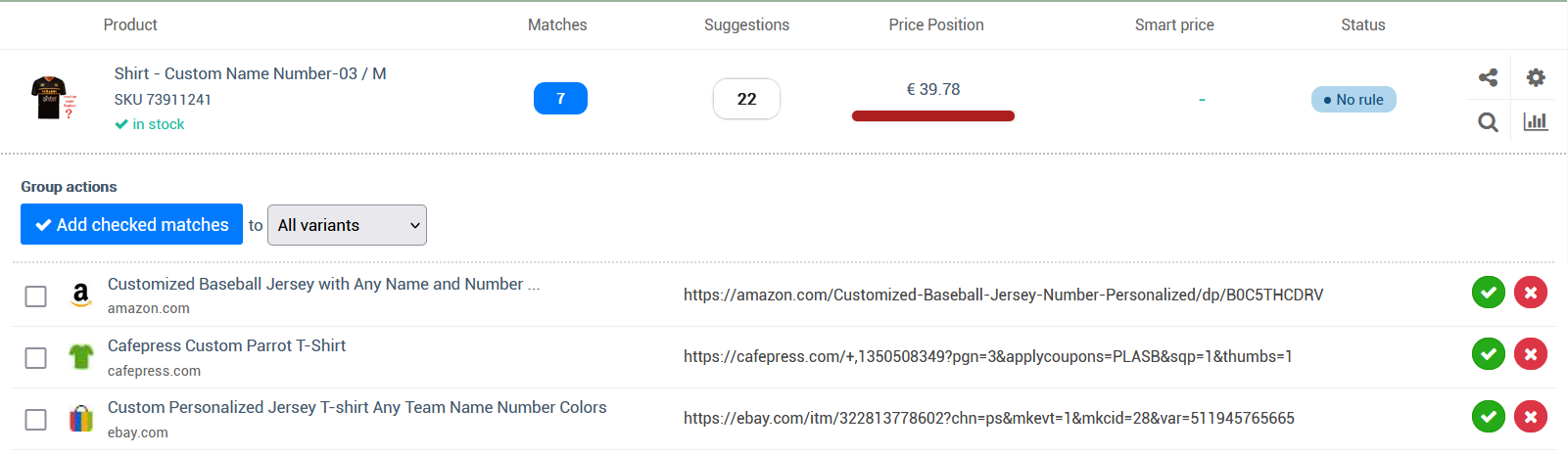
Imagine having 100 variants for a single product, all at the same price. Would you really want to manually add the same competitor URL 100 times? 😩 Of course not! Our Search Discovery feature already automates and simplifies your competitor matching, and we’re not about to make you click through each variant individually!
That’s why we’re excited to introduce a new enhancement: a convenient Select Box that lets you choose whether the match should apply to just this specific variant or all variants of the product in one go!
Have you ever woken up to find your prices plummeted overnight because a competitor mistakenly set their prices too low? Suddenly, you're selling at a loss and losing margins before you even have your morning coffee. This new feature puts an end to that scenario.
If you choose the “Hold Price” option, the system will temporarily freeze the affected product’s price and halt any further automated changes. This keeps your current pricing intact until you can review the competitor’s update and decide on your next step manually. It’s the ideal choice if you want to maintain stability and prevent sudden shifts caused by a single competitor’s error.
Alternatively, you can select the “Exit Rule” option, where the system will abandon the current repricing rule for that product and switch to a predefined backup plan. This could involve moving to a more conservative pricing rule that prioritizes protecting your margins or transitioning to a rule that ignores the problematic competitor altogether. This method ensures you stay flexible and proactive without getting caught in an unprofitable price war.
With these new safeguards in place, you can sleep easy, knowing that any overnight shocks won’t catch your business off-guard. Configure the settings that best suit your strategy and eliminate morning surprises once and for all.

Unlike the standard min/max price feature, PriceGuard responds dynamically to unexpected competitor changes. Instead of setting static price floors and ceilings, it allows you to define percentage-based thresholds, temporarily holding your price or switching to a backup plan when sudden shifts occur.
In our latest update, we're excited to introduce a powerful new feature for your dashboard that give you immediate control over your product pricing and details.
2-way sync editing
You can now directly update product prices, costs, RRP/compare-at prices, SKUs, and barcodes right from Price Parrot on the specific product pages. This means you have a single point to update all your pricing without switching between platforms.
Quick sync
Not ready for automated repricing, or need to apply updates immediately without waiting for the next repricing interval? With the new quick sync button next to your smart prices, you can instantly apply repricing updates with just one click.
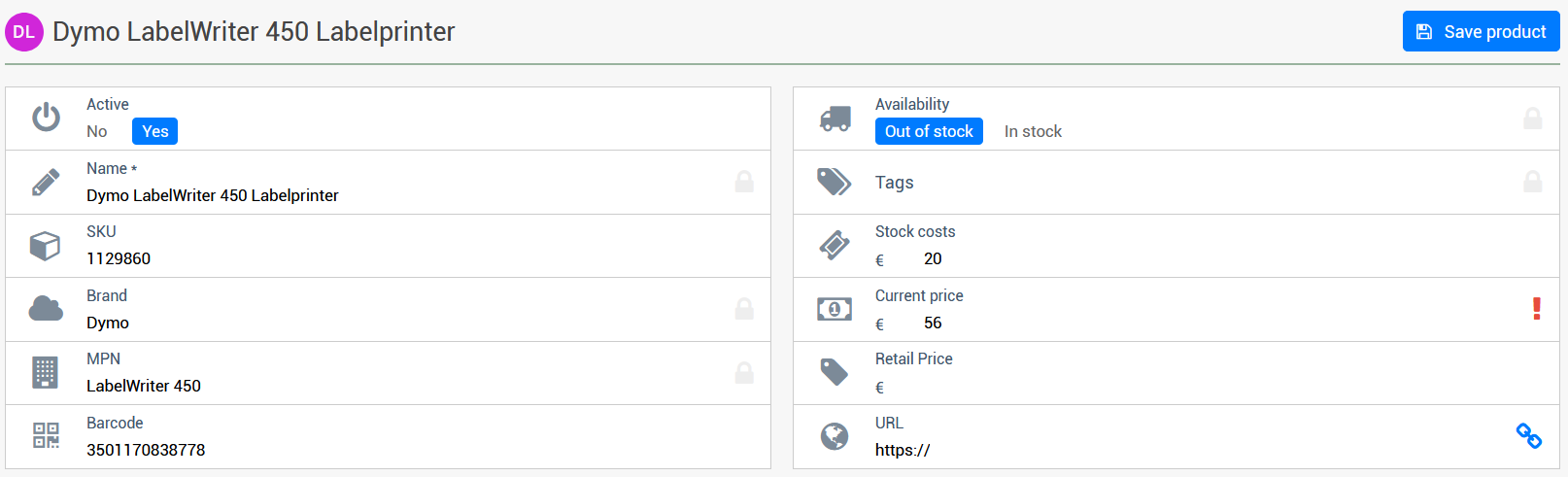
In our latest update, we have made significant enhancements to our pricing insights feature!
Our static pricing graph has undergone a complete transformation. Now, with the Dynamic and Customizable Pricing Graph, you can access the most comprehensive pricing data with greater flexibility and control.
What's New:
- Competitor Data Toggle: Seamlessly switch competitor pricing data on and off to easily compare your prices.
- Adjustable Date Range: Customize the date range to analyze pricing trends over any desired period.
- Historic Data Access: Gain insights from historical pricing data to make informed, strategic pricing decisions.
The advanced pricing graphs are available on every product page and the product overview, so it will be hard miss out on the new improved insights.
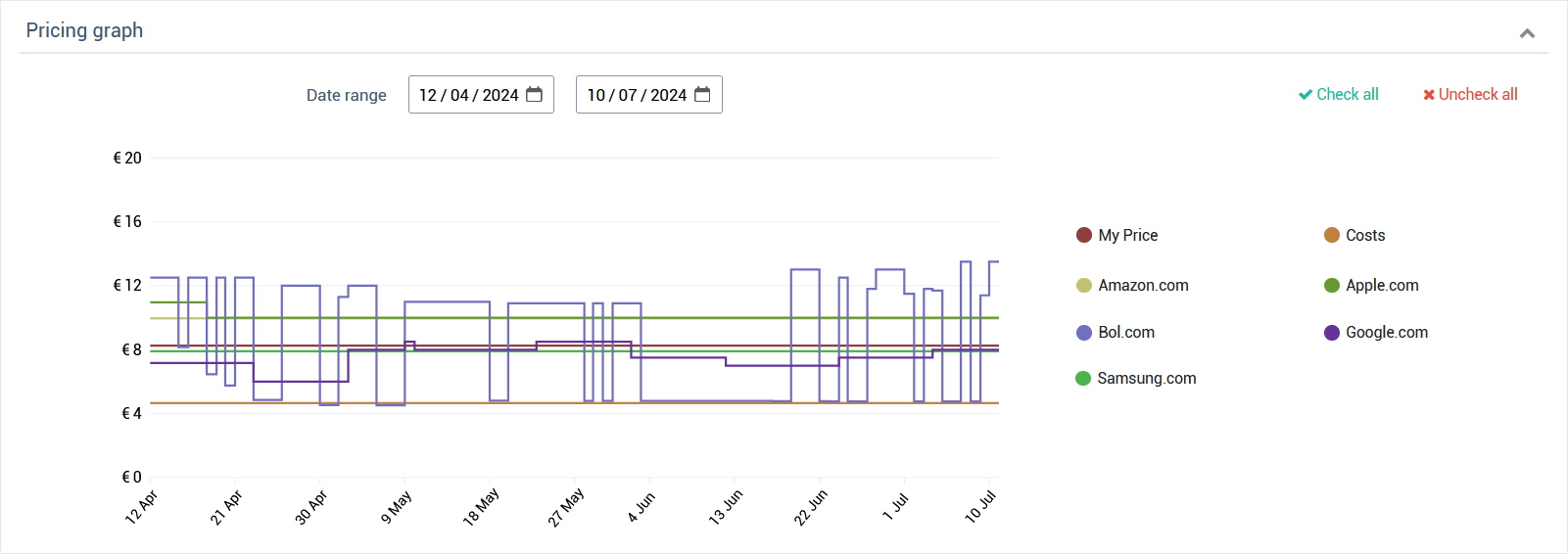
This update is designed to provide you with the best tools to optimize your pricing strategy and dominate the market with unbeatable pricing. Explore the new dynamic pricing graph and enhance your competitive edge today!
In addition to yesterday's update, we have further enhanced our export functionality.
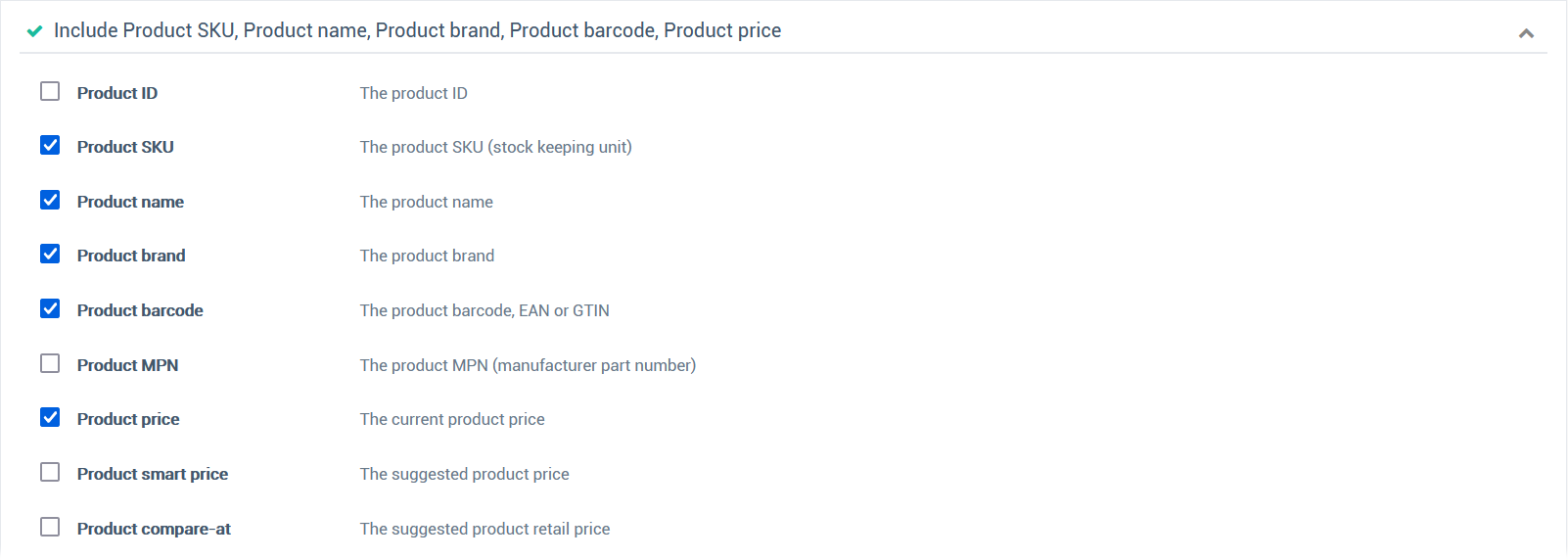
You can now select from over 15 different columns when exporting product information through alerts. This customization allows for comprehensive internal data processing and analysis.
It also enables you to exclude any sensitive or unnecessary data when sharing these exports with external parties, such as suppliers. By doing so, you maintain full control over the information you distribute, ensuring confidentiality and relevance in your communications.
This new feature helps streamline your data exports, allowing them to be precisely tailored for each specific use case.
Building on the success of our "Copy Repricing Rule" feature, we're thrilled to introduce not just one, but two new enhancements to our alert system!
Just like with repricing rules, you can now duplicate your alert settings effortlessly with our new "Copy Alert Rule" feature. This allows you to replicate your finely-tuned alert configurations with just a single click, no more manual setups for similar alert conditions.
Additionally, we've added a new function to name your alerts. This feature enables you to organize and manage your alerts better by giving each one a unique name for easier identification and reference. Streamline your workflow and maintain a clearer overview of all your alerts with this handy new tool.
